

What are you looking for?

Get help straight from our team...

Monthly Task- Lunar Initial Order Upload

Workflows

Monthly Task- Lunar Initial Order Upload

A simple walkthrough on how to upload your monthly Initial Order onto Lunar

Last updated on 31 Aug, 2022


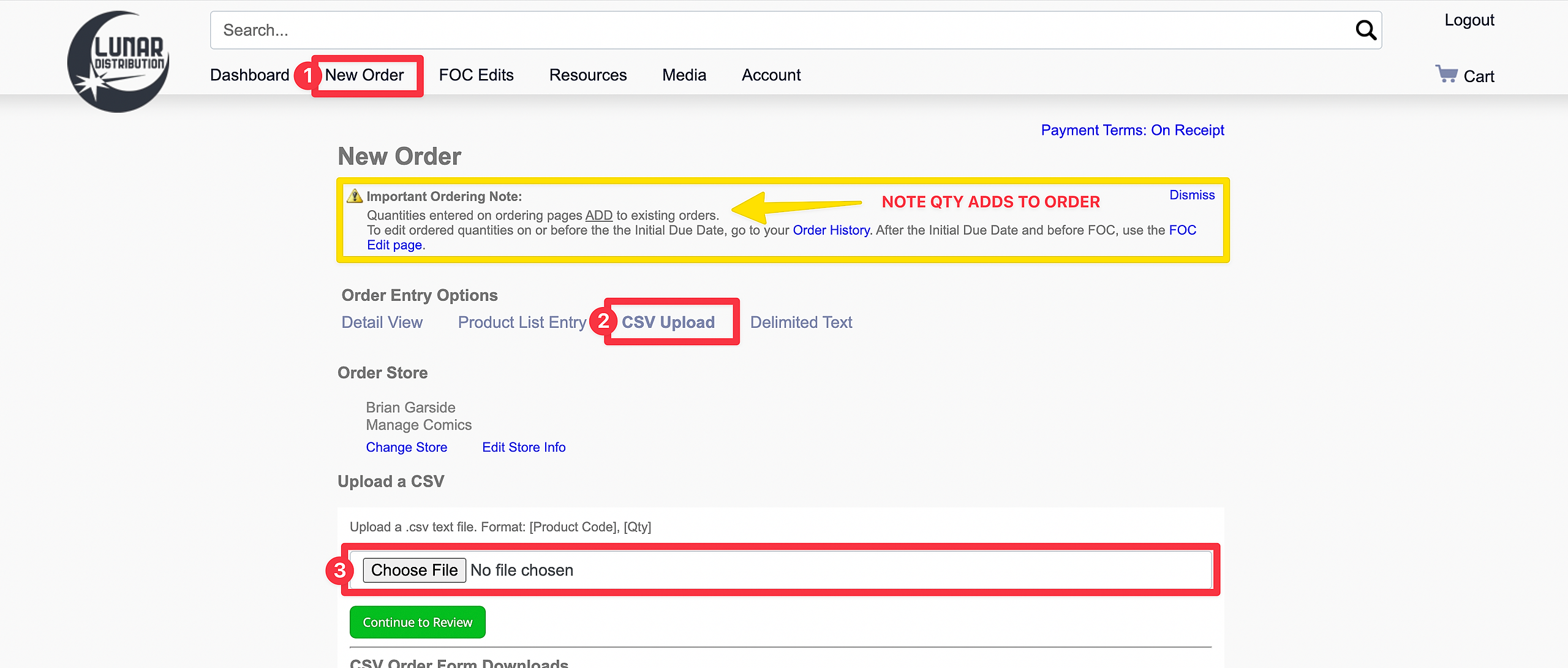
Lunar Initial Order Screen.
New Order >


Be aware that placing orders anywhere other than the FOC Edits page adds qty to whatever existing quantity is already on order.

Click on CSV Upload
Click Choose File
Click Continue to Review

***MAKE SURE YOU REVIEW ALL ITEMS***

Don't forget to take a look at our other workflows!
Image


Did you find this article helpful?
Previous

Monthly Task - Previews Email

Next