

What are you looking for?

Get help straight from our team...

Shopify - Create an email list for active subscribers only

Shopify Help

Shopify - Create an email list for active subscribers only

How do you create an email list allowing you to just contact customers who are subscribers within Shopify?

Last updated on 10 Dec, 2024

Subscription Customers are tagged in Shopify as "Manage Comics - Active"

Find all Active Subscribers

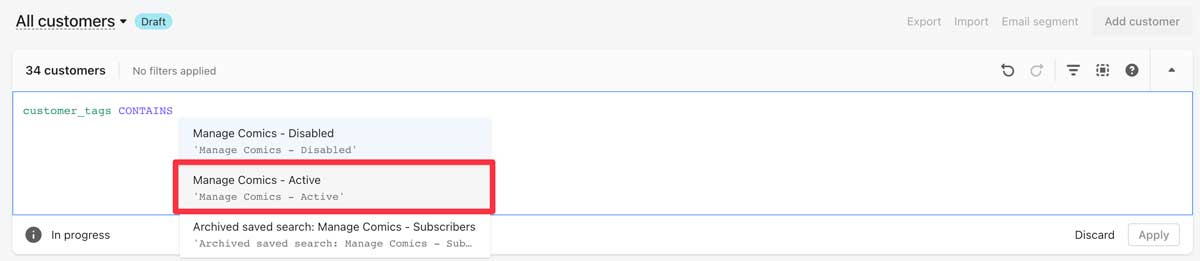
To search for subscription customers, in Shopify go to Customers, click on Tagged With, then enter customer_tags CONTAINS and select "Manage Comics - Active".
Image

Create an email list for subscribers only

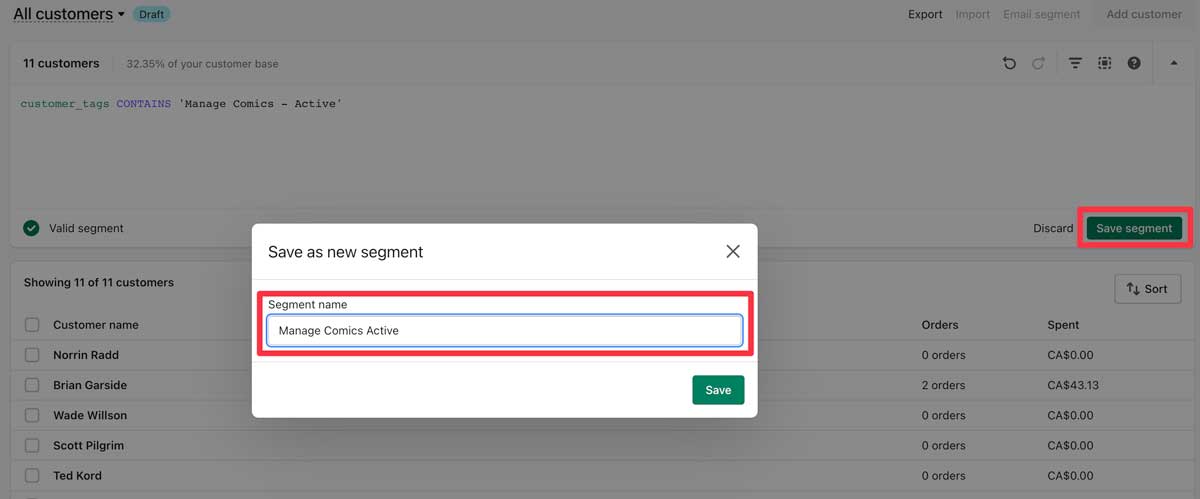
1 - Save the segment.

2 - Name the segment.

Note: You can only send emails to customers who are "Opted In" to email.
Image
Did you find this article helpful?
Previous

Shopify POS - SocketScan S700 + S720 reader tips

Next