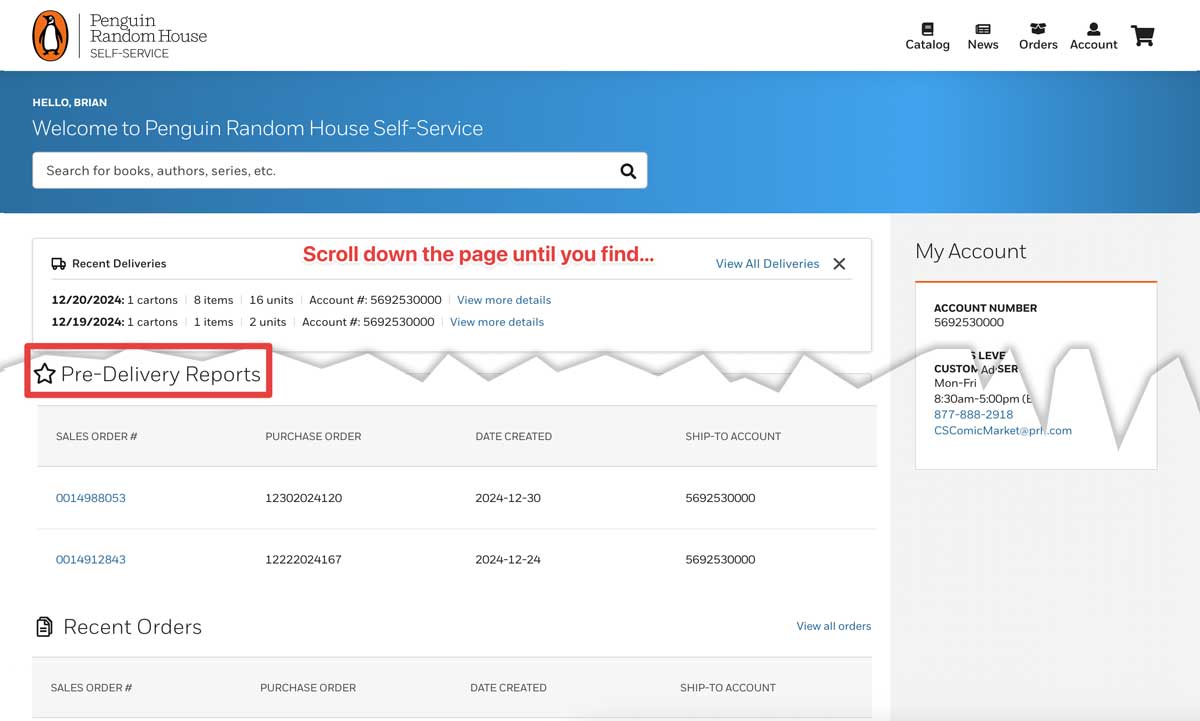

Manage Comics only accepts two specific files from Penguin Random House, they are (in order of preference):
The Invoice File in CSV format
The Pre-Delivery Report in CSV format
Where do you find Invoices on the Penguin Random House Self-Service portal?
The easiest way is on the dashboard (the first page) by scrolling down 1/2 way down the page.
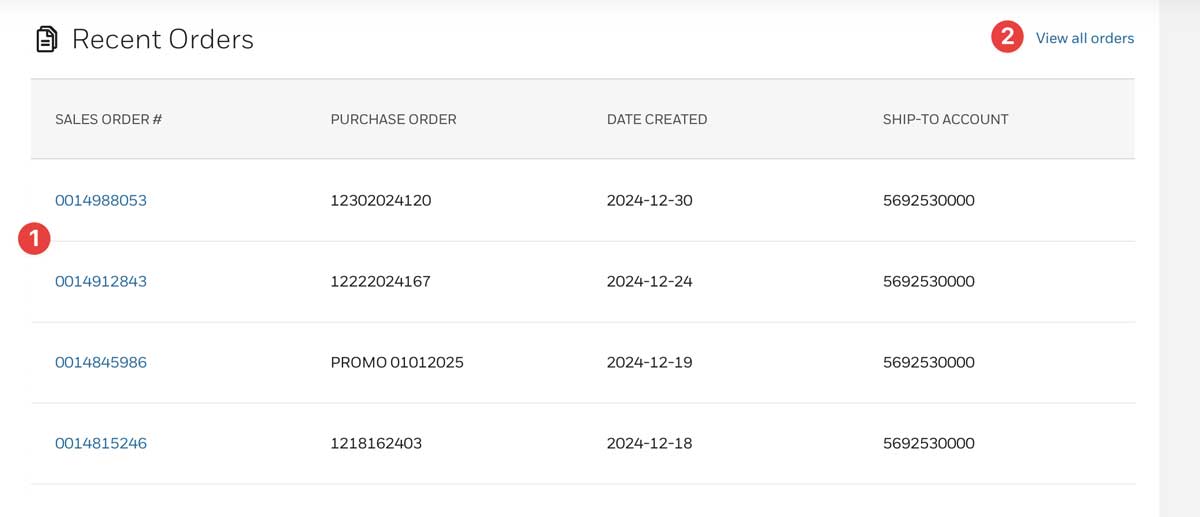
You will find your recent orders.
(1) will show you a list of orders, while you can also (2) View all orders to see all invoices.
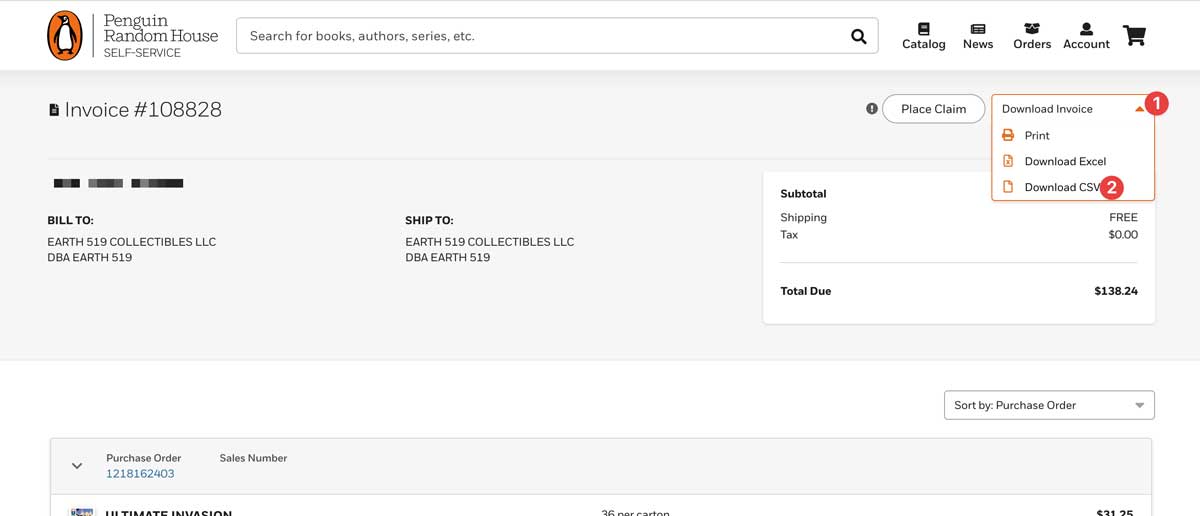
From an individual order, you can click Download Invoice (1), and then Download CSV (2).
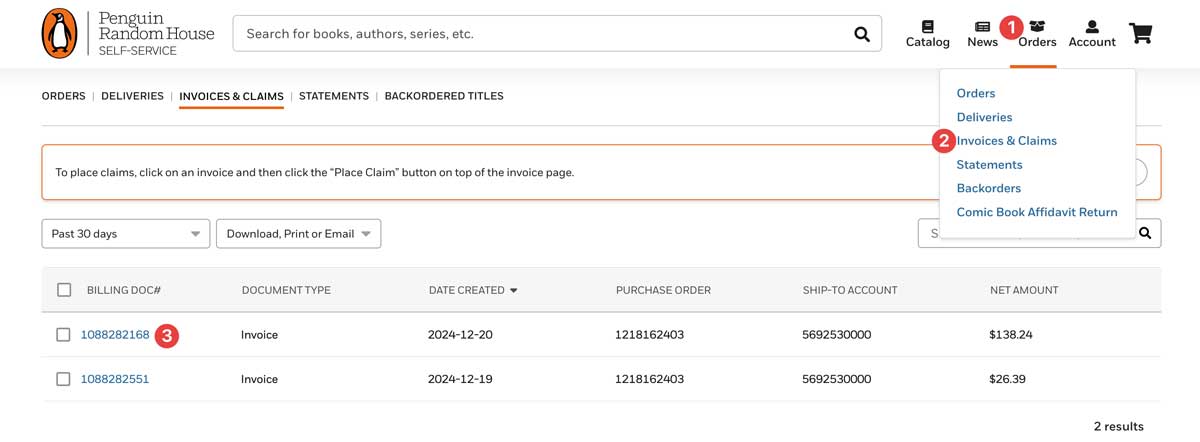
Alternative way to find invoices.
Click the "Orders" basket in the upper right hand corner (1), then select Invoices & Claims (2).
From here you can click on individual invoices (3).
How to find and use a PRH Pre-Delivery Report
For weeks where you don't have an invoice (we always recommend using an invoice where possible), you may use the Pre-Delivery Report.
The Pre-Delivery Report is found above the invoices on the main dashboard page, about 1/3 down the page.